
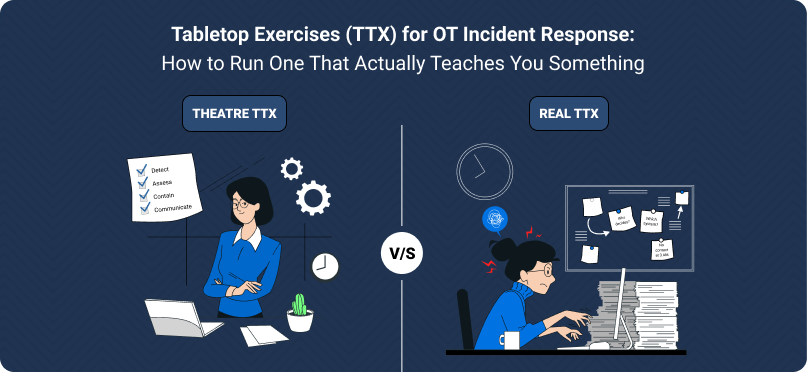
Most OT tabletop exercises are theatre. Everyone reads their role, agrees the plan is good, and goes back to work. A real TTX is uncomfortable, and that discomfort is where the learning happens. Here is how to run one that is worth the three hours.
Most OT tabletop exercises I have observed are theatre. Everyone reads their assigned role card, agrees that the existing plan is good, nods appropriately at the right moments, and goes back to work. Two hours later, nothing has been learned, no gaps have been identified, and the plan is filed away until the next time.
A real tabletop is uncomfortable. People disagree. Roles are unclear. Decisions are hard. Someone realises the shift supervisor has no way to contact the IR team at 3 AM on a Sunday. That discomfort is the entire point. It is where the learning happens.
Here is how to run a TTX that is actually worth the three hours.
Before the exercise: five design choices that make or break it
1. Pick a scenario your team *doesn’t* think about
A “ransomware on the business historian” scenario is fine for your first TTX. By your third, you need to be pushing into harder territory:
- Compromise of a safety-adjacent system.
- Vendor remote access abuse during a turnaround.
- Insider threat from an engineer with legitimate access.
- Supply chain compromise: the vendor ships an infected patch.
- Coincident incidents: a cyber event during a physical emergency (fire, chemical release).
The scenarios that make people say “that wouldn’t happen to us” are usually the ones most worth exercising.
2. Anchor it to your specific plant
Generic scenarios get generic responses. Pick a specific line, a specific unit, a specific control loop. “Your chlorine dosing controller in Unit 3 starts accepting commands from an unexpected source at 02:17 on a Sunday. The overnight shift supervisor sees the chlorine level rising.” That forces your team to use real names, real call lists, and real procedures.
3. Write injects, not a script
A tabletop is driven by injects: small pieces of new information delivered at planned moments during the exercise. “It is now 02:30. The HMI shows the chlorine controller has gone unresponsive. What do you do?” Then, later: “It is now 02:45. The backup controller is also affected. What do you do now?”
Inject-driven exercises force decisions under uncertainty, which is the whole point. Script-driven exercises only check whether people can read.
4. Put the right people in the room
Minimum attendees for a meaningful OT TTX:
- Shift supervisor / control room operator(day-of responder).
- Plant operations manager(decision authority).
- Site / plant security lead(IR coordinator).
- IT security representative(for anything that crosses to enterprise).
- Automation / controls engineer(process expertise).
- Safety engineer(consequence assessment).
- Someone from corporate communications or legal(for the external-facing aspects).
- A facilitator who is not scoring their own work.
If your TTX is just the IT security team plus one OT person, you are rehearsing a conversation, not an incident.
5. Agree the ground rules
Two rules, stated out loud at the start:
- No blame.The purpose is to find gaps, not to audit individuals. If someone is afraid of being embarrassed, they will give the textbook answer, not the real one.
- No time-skipping.If the plan says “call the vendor,” stop and ask who, by what number, at 3 AM on a Sunday. If nobody knows, that is a finding. Do not skip past it because it is awkward.
During the exercise: the three questions the facilitator must keep asking
- “How do you know?”When someone says “we’d see that in our monitoring,” ask which tool, which dashboard, which alert. If the answer is vague, flag it.
- “Who decides?”When someone says “we’d shut it down,” ask who has the authority to make that call. If it is ambiguous, flag it.
- “What does that look like in practice?”When someone describes a procedural step, ask them to walk through the actual steps. “Open what application? Call what number? Send what message?” This is where the gap between plan and practice shows up.
After the exercise: the output that matters
A TTX produces one deliverable: a findings list. Not a report. Not minutes. A short list, usually 5 to 15 items, of specific gaps identified and actions to take. Each finding should have:
- A description (“No documented path to contact SIS vendor after-hours outside of India business hours”).
- An owner (a named person, not a department).
- A deadline.
- A severity (some gaps can wait; some cannot).
Distribute the findings within 48 hours. Track them in whatever you use for audit findings. Close them. Run another TTX in six months and verify the closures held.
Common mistakes to avoid
- Running it as a training exercise.Training teaches. TTXs assess. Do not conflate them. If people need training, train them first, then exercise.
- Only exercising the plan.Sometimes the plan is fine but the tools do not work, or the people are unavailable, or the assumptions no longer hold. A good TTX exercises the whole system, not just the written plan.
- Skipping the uncomfortable injects.If an inject makes people squirm, run it. That is the one you need.
- No leadership in the room.If the exec sponsor does not attend, the findings do not get resourced, and the program dies.
- Running it once and declaring victory.TTXs are a practice, not a project. Twice a year, minimum. Different scenarios each time.
A starter cadence
For an OT security program that is serious:
- Quarterly.Short (90-minute) scenario-based tabletop with the plant IR team.
- Twice yearly.Full (3 to 4 hour) tabletop with cross-functional attendance, including corporate.
- Annually.A discussion-based or hybrid exercise that also includes external stakeholders (vendors, regulators if willing).
This cadence will reveal more about your real posture than any assessment report. Because the report tells you what you should do; the tabletop tells you whether you actually can.
RelyBlue designs and facilitates OT tabletop exercises for single plants and multi-site organisations. Contact us to scope a tabletop program for your site.

 connect@relyblue.com



